게임개발/Unreal 블루프린트
[Unreal_블루프린트]#3_Anim Asset 변환, Anim Asset 리타겟팅
Hardii2
2022. 9. 2. 23:04
Cookie
- 아티스트
- NewJeans
- 앨범
- NewJeans 1st EP 'New Jeans'
- 발매일
- 2022.08.01
[Unreal_블루프린트]#3_3_Anim Asset 변환, Anim Asset 리타겟팅
Unreal 블루프린트 개발 중 "Chracter Animation"에 대해 알아보겠습니다.
"블루 프린트" 활용에 대한 내용입니다.
Mixamo
1. Mixamo Assets

Mixamo
www.mixamo.com
1. 위 링크를 통해 "Y-bot" 캐릭터 애셋을 검색합니다.
2. "Sword and Shield" 애니메이션 중 "Locomotion" 관련 애니메이션 애셋 다운로드
2. 파일 정리

1. 변환 전 Animation Asset들을 모아놓을 "_Mixamo"파일 생성
2. 변환 후 Animation Asset들을 모아놓을 "_MixamoResult" 파일 생성
Blender 설치
1. Blender 사이트에서 설치 파일 다운로드
Index of /release/Blender2.82/
download.blender.org
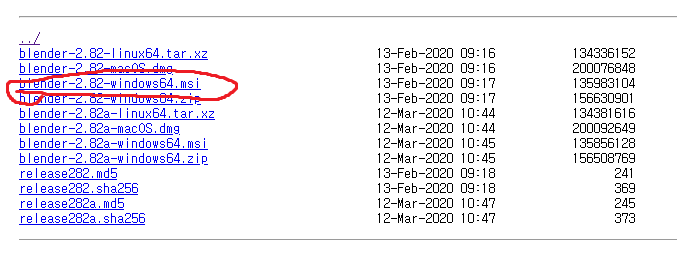
1. 이 중 "2.82-windows64.msi" 설치
2. Converter 파일 다운로드
GitHub - enziop/mixamo_converter: Blender addon for converting mixamo animations to Unreal 4 rootmotion
Blender addon for converting mixamo animations to Unreal 4 rootmotion - GitHub - enziop/mixamo_converter: Blender addon for converting mixamo animations to Unreal 4 rootmotion
github.com
1. Github 사이트에 들어가서 -> Code -> Download Zip
2. 압축을 해제하지 않고 일단 그대로 둡니다.
Animation Asset 변환
1. Blender 실행 및 세팅
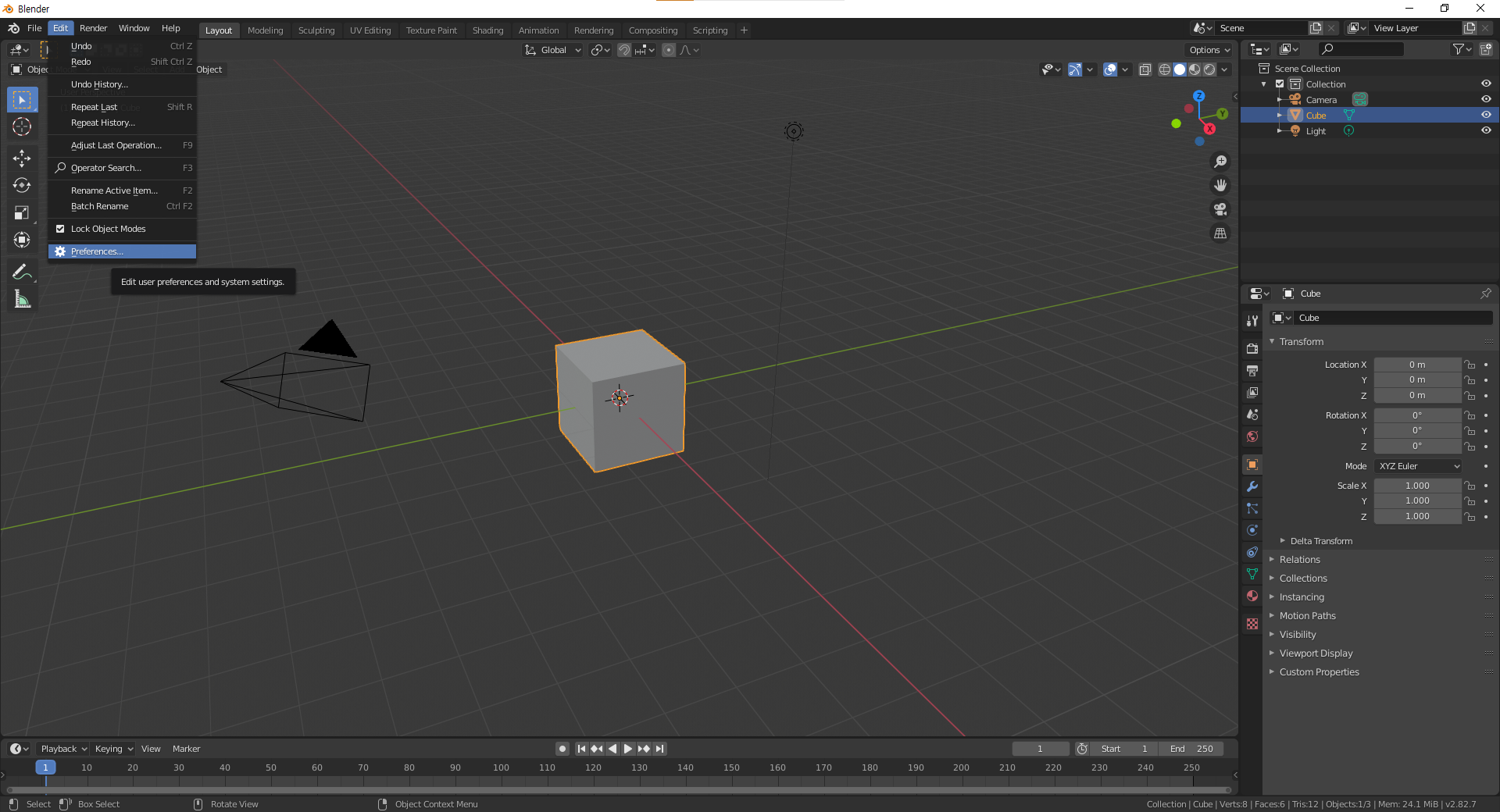

1. Edit 창 -> Preference 선택
2. Add-ons -> mixamo 검색 -> Converter에 체크
2. Input 파일 변환 후 Output 파일에 저장

애님 에셋 리타깃팅
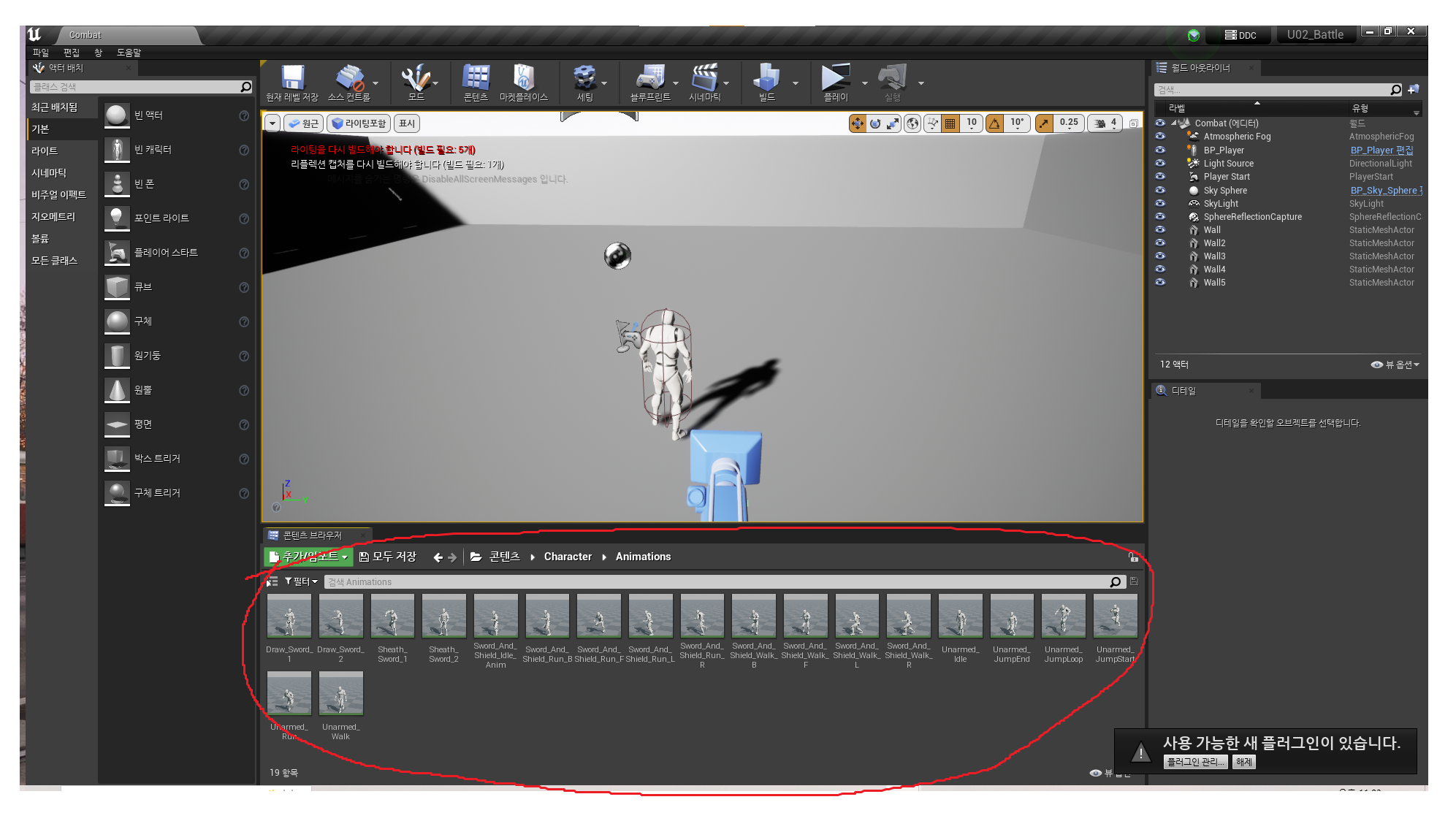
1. Editor에서 Animation Asset 임포트하기

1. Content 폴더에 우 클릭 -> 임포트 선택
2. 변환이 완료된 Animation을 선택 -> Import Mesh 체크 해제 -> Convert Scene Unit 체크
2. Y-bot 스켈레톤 메시의 릭 선택

1. Content 폴더 -> 미리 받은 "Y-bot" 스켈레톤 메쉬 선택
2. 릭 선택 -> 인간형 or Humanoid 선택
3. Animation Asset을 적용할 Skeleton Mesh에 리타겟팅

1. Animation Asset 우 클릭 -> 애님 에셋 리타깃 -> 애님 에셋 복제 후 리타깃
2. 빨간색 동그라미 친 부분에 Skeleton Mesh가 나오지 않으면, Y-bot의 Skeleton Mesh에서 프리뷰 세팅
3. 타겟 Skeleton Mesh를 선택하고 리타깃 진행
4. 리타겟팅 완료